
Front Page
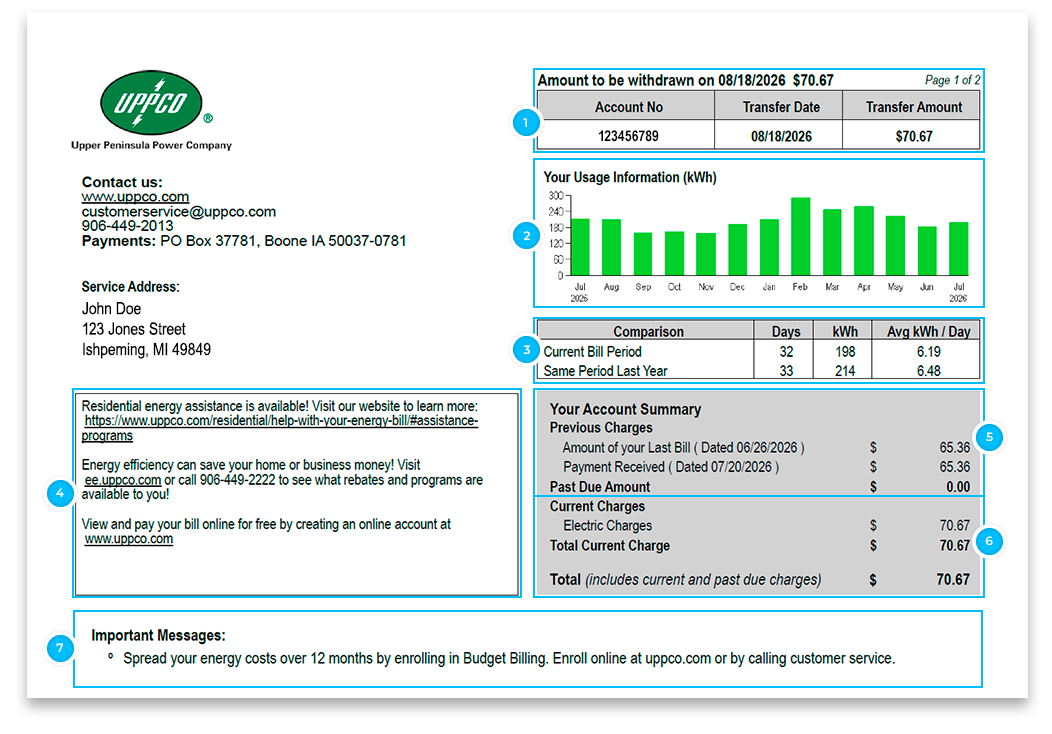

This area shows an account that is enrolled in Auto Pay and the Auto Pay amount being transferred to UPPCO from the established bank account.
If you would like to enroll in Auto Pay, log in to our customer portal.
Auto Pay is a free service provided for your convenience.
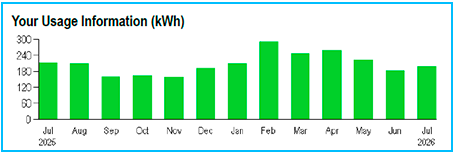
This area shows your historical month-by-month energy usage.
More information about your usage history is available on the customer portal. To access, click the words “LOG IN” at the top of this page to view within your Customer Portal Account.

The information shows how many Kilowatt Hours (kWh) you used.
The information also provides you with an average amount of kWh per day used.
More details about your current billing month are available on the back of the bill.
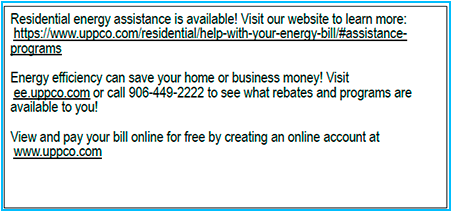
This area shows special program messaging and incentives available to all UPPCO customers.
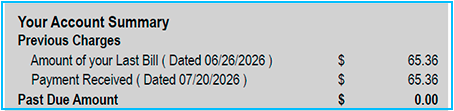
This Account Summary area shows the amount of your last bill and indicates if a payment(s) was received.
A Past Due Amount will show if your last payment did not cover the full amount and the balance on your account not including the current bill.
The Payment Received line shows any payments made during the billing period. As well, if a customer makes 2 or more payments within a billing period, they are added together and reflected on this line.
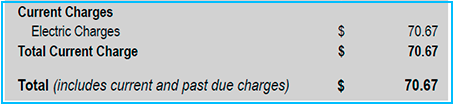
This Account Summary area shows:
- The amount of your current charge for energy used in the current bill period.
- The Total amount owed combines any past due amount with your current charge.
- If you have a late payment charge, reconnection charge, or other miscellaneous charges or credits, they will appear here.
 Important information regarding your bill is displayed here
- Messages regarding plans or programs you have your account enrolled in
- Seasonal messages
- Required regulatory messages
Back Page
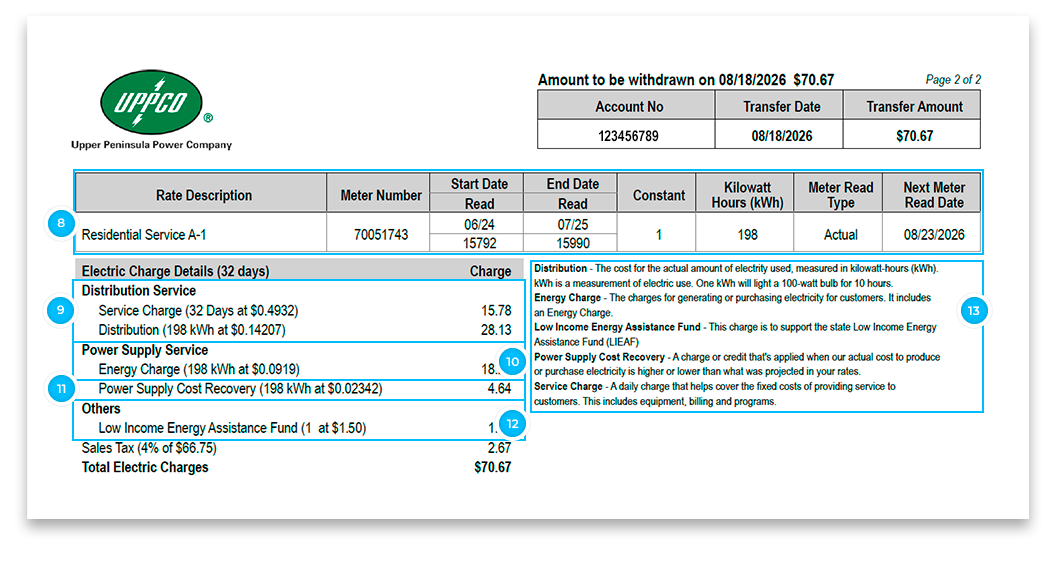

This area shows additional detailed power usage data from your electric meter
Rate Description
Shows how your property is classified for rate charges. The determination of your rate class is included in the MPSC (Michigan Public Service Commission) Rate Book. Access the Rate Book in the UPPCO Rates & Tariffs section of this website.
Meter Number
Shows the meter number, which matches the meter at your property.
Start Date/End Date Read
Shows the billing time period with beginning and ending reads, which calculates your monthly kWh used.
Kilowatt Hours (kWh)
Shows total kilowatt hours consumed for the start date/end date read period.
Next Meter Read Date
Shows your next scheduled meter reading.

This area shows a breakdown of charges associated with energy distribution.
Service Charge
A monthly “per day fee” that occurs regardless of any power that you have consumed. This charge covers the cost of using the “energy highway” between UPPCO and power supply sources (the grid and hydroelectric facilities).
Energy Charge
This charge covers the cost of distribution of power to your location. It includes substation and line maintenance costs.

This area shows your charge for “electricity only”
Energy Charge Does not include any distribution or maintenance fees, just the power alone.

Shows Power Supply Cost Recovery Charges (PSCR)
UPPCO buys the majority of the power our customers use on the open market at the lowest possible cost. PSCR charges represent the increase or decrease in UPPCO’s actual power supply costs versus what was forecasted at the beginning of any operating year.
This area can reflect a credit or a charge based on UPPCO service area maintenance and upgrade needs.

Shows charges for the Low Income Energy Assistance Fund (LIEAF)
UPPCO supports the Michigan Public Service Commission’s LIEAF program to provide energy assistance and self-sufficiency services to low-income households in Michigan. Apply for assistance or call 211 for more information on available assistance.
The Self-Service Utility Program Screening Tool was developed in partnership with UPPCO, the Upper Peninsula 2-1-1 Call Center, and Michigan 2-1-1. If you are looking to save money on monthly utility bills or clear up a past due balance, this tool aims to efficiently connect UPPCO customers to the most appropriate assistance programs in 2-1-1’s directory of community programs.
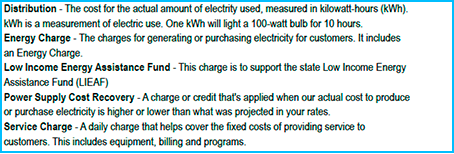
This area is a glossary of common bill terms


